実践・Systems Manager Automation〜「EC2のバックアップ取得からパッチ適用まで」を自動で〜
sho
デロイト トーマツ ウェブサービス株式会社(DWS)公式ブログ

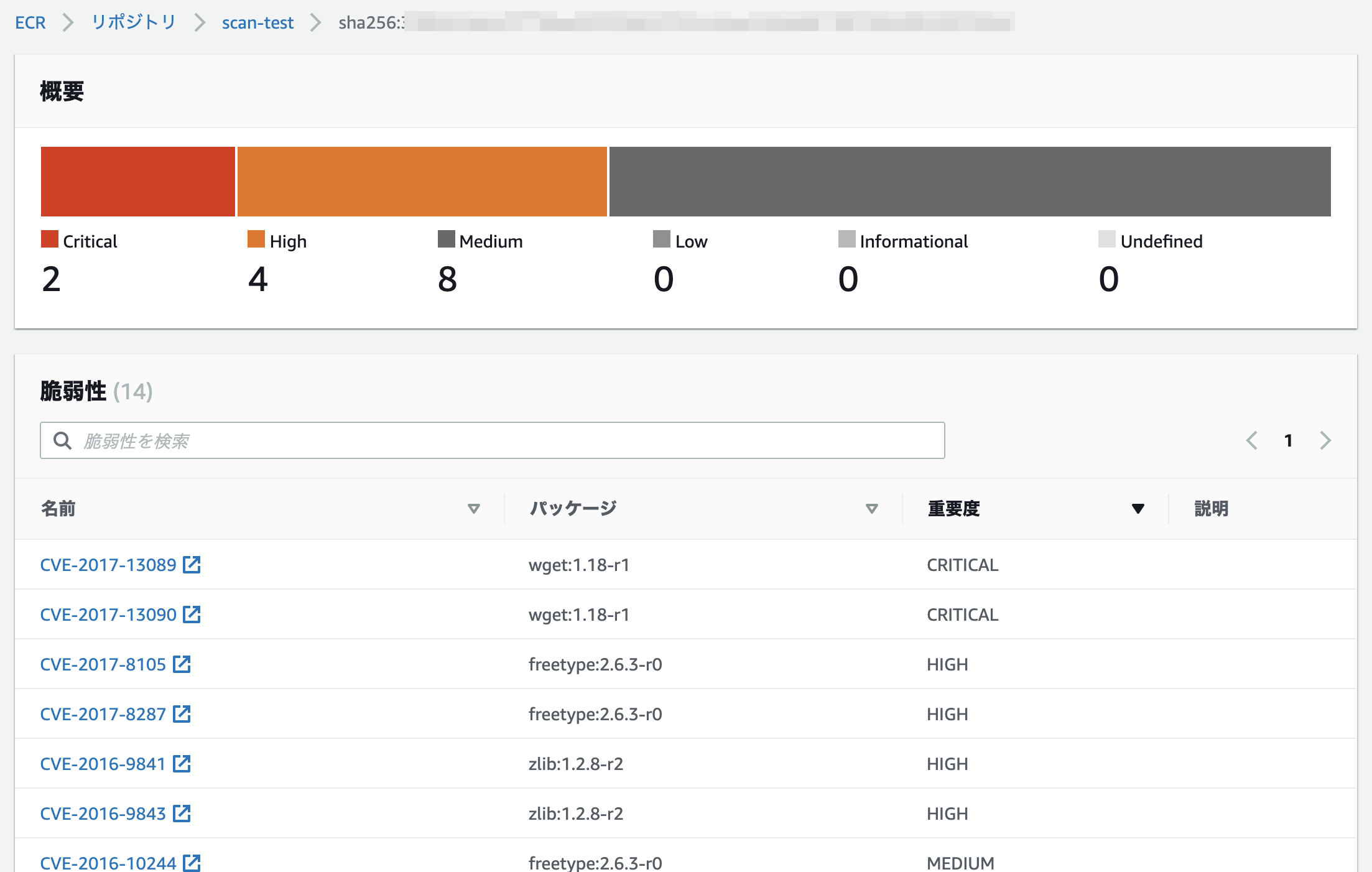
2019年10月に Amazon ECR の脆弱性のスキャン機能が実装された。
Announcing Image Scanning for Amazon ECR
今回は、下記の記事を参考に、
ECR へイメージをプッシュECR のイメージスキャンLambda を実行して Slack 通知という流れでやってみた。
【参考URL】
まずは、 ECR の設定を行う。
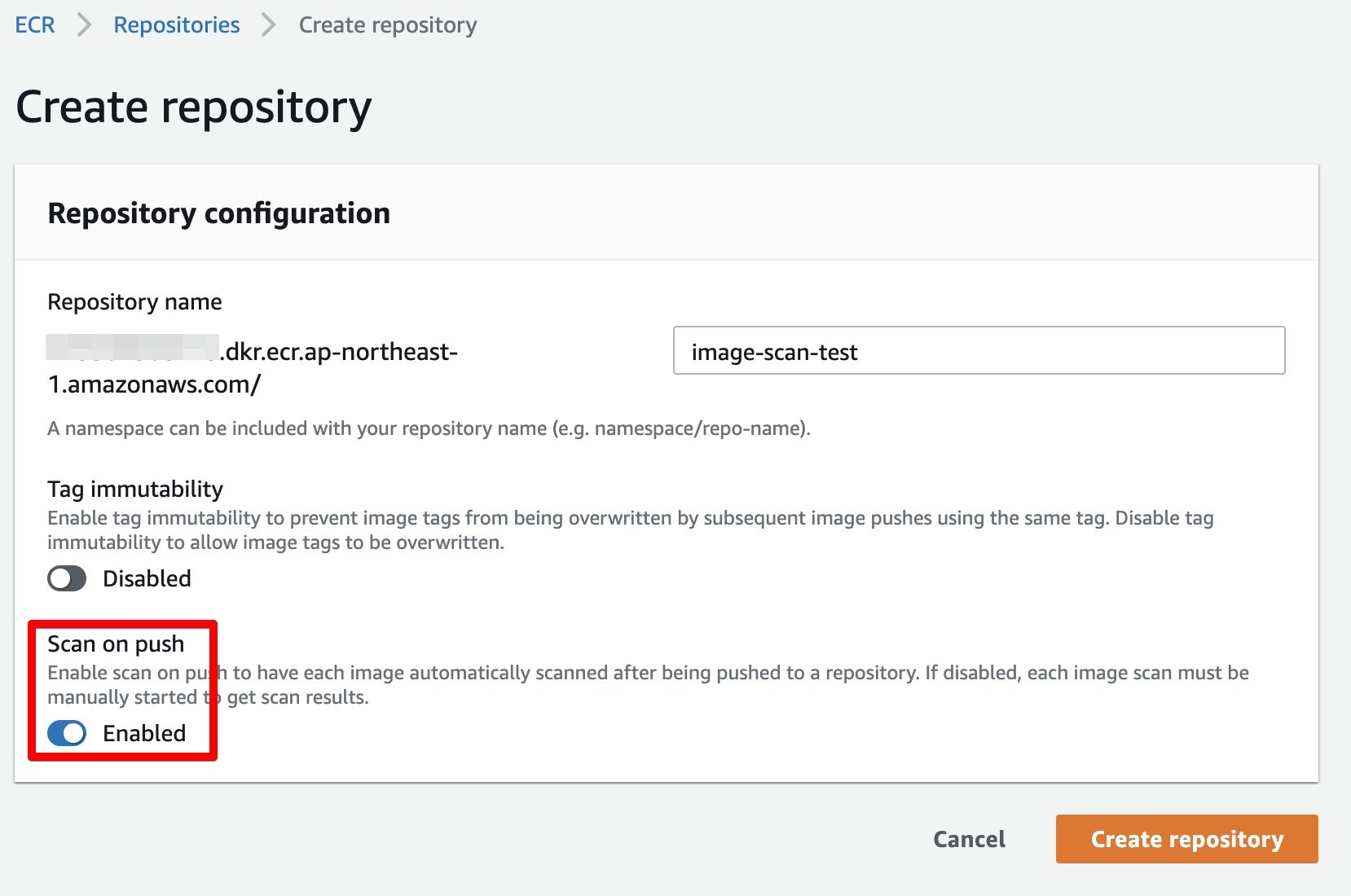
ECR のリポジトリ作成時、もしくは既存でリポジトリがある場合は設定を編集して、 Scan on push (プッシュ時にスキャン) を有効にする。
これを設定することで、 ECR にイメージをプッシュするたびにスキャンが実行される。
今回は、 Python で Lambda を実行する。
ECR のイメージのスキャン結果を取得するためには、最新の boto3 が必要になるため、 Lambda Layers を設定する。
【参考URL】
ローカル環境にて、下記のように boto3 を ./python ディレクトリ配下にインストールし、 zip で固める。
$ mkdir python
$ pip install -t ./python boto3
$ zip -r boto3-1.10.28.zip python
AWS Lambda のメニューより、 Layers をクリック。
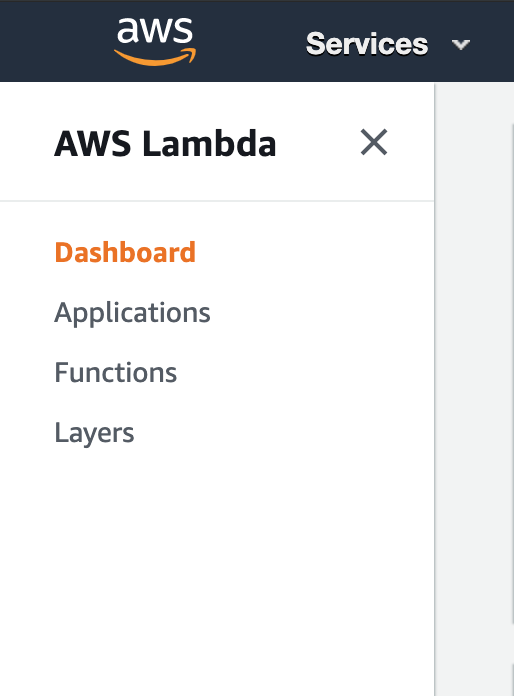
Create Layer をクリックして、

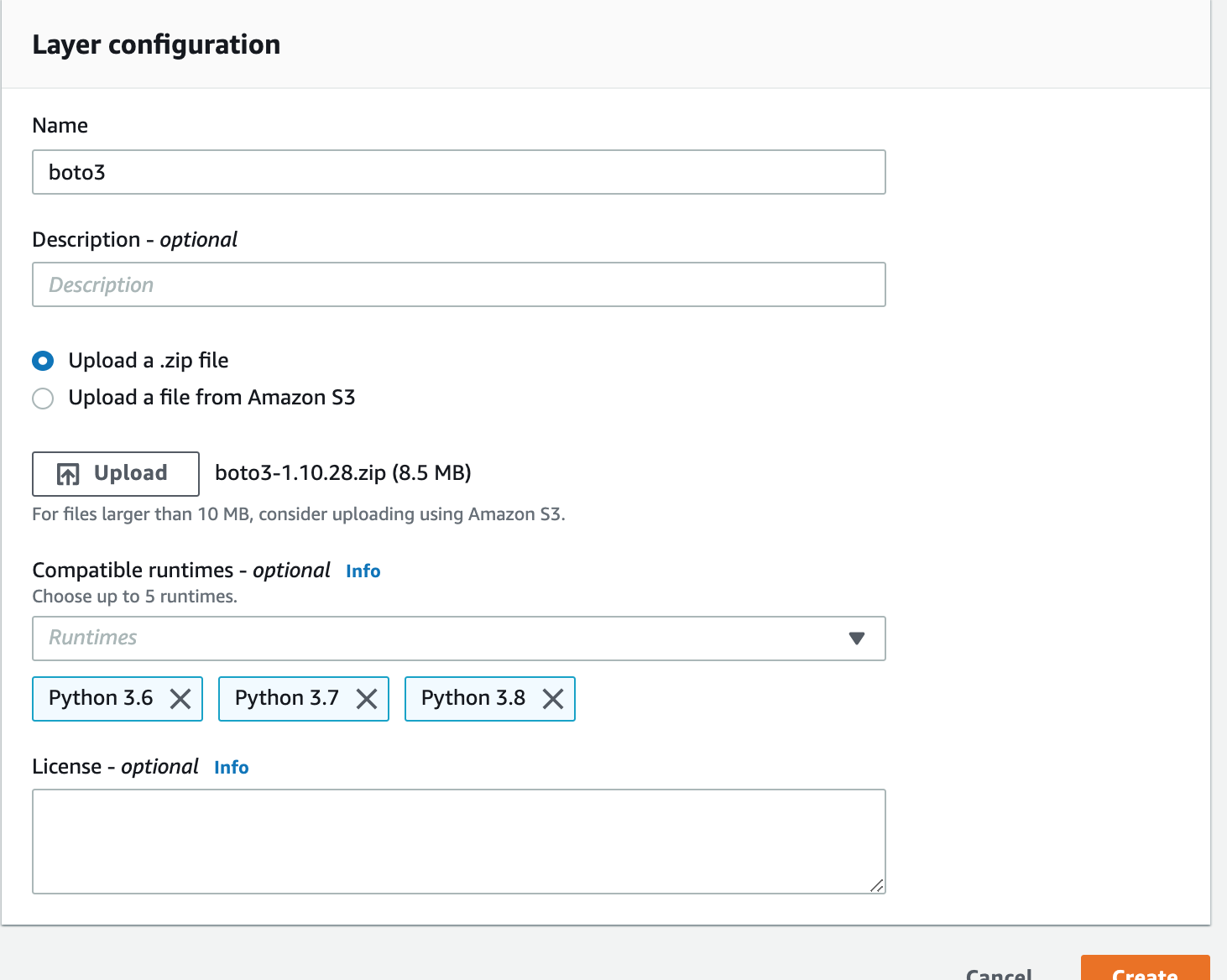
先ほど作成した zip ファイルをアップロードして、 Layer を作成する。
ECR のスキャン結果取得のため、 Lambda を実行するロールに、 ecr:DescribeImages を付与する。
Lambda 関数は、参考にさせていただいた記事のものをベースに少し手を加えて、チャンネル名(CHANNEL)、会社名(COMPANY)、SlackのウェブフックURLの(WEBHOOK_URL)を環境変数から取得するようにした。
弊社では、 GitHub や CircleCI などの通知を集約している Slack チャンネルがあり、複数の開発や運用が同時で動いているため、どのプロジェクトのものか判別できるように対応したものである。
from datetime import datetime
from logging import getLogger, INFO
from urllib.request import Request, urlopen
from urllib.error import URLError, HTTPError
import json
import os
from botocore.exceptions import ClientError
import boto3

logger = getLogger()
logger.setLevel(INFO)


def get_properties(s_counts):
    """Returns the color setting of severity"""
    if s_counts['CRITICAL'] != 0:
        properties = {'color': 'danger', 'icon': ':red_circle:'}
    elif s_counts['HIGH'] != 0:
        properties = {'color': 'warning', 'icon': ':large_orange_diamond:'}
    else:
        properties = {'color': 'good', 'icon': ':green_heart:'}
    return properties


def get_params(scan_result):
    """Slack message formatting"""
    region = 'ap-northeast-1'
    channel = os.environ['CHANNEL']
    company = os.environ['COMPANY']
    severity_list = ['CRITICAL', 'HIGH', 'MEDIUM', 'LOW', 'INFORMATIONAL', 'UNDEFINED']
    s_counts = scan_result['imageScanFindingsSummary']['findingSeverityCounts']

    for severity in severity_list:
        s_counts.setdefault(severity, 0)

    message = f"*ECRイメージスキャン結果 | {company} | Account:{scan_result['registryId']}*"
    description = scan_result['imageScanStatus']['description']
    text_properties = get_properties(s_counts)

    complete_at = datetime.strftime(
        scan_result['imageScanFindingsSummary']['imageScanCompletedAt'],
        '%Y-%m-%d %H:%M:%S %Z'
    )
    source_update_at = datetime.strftime(
        scan_result['imageScanFindingsSummary']['vulnerabilitySourceUpdatedAt'],
        '%Y-%m-%d %H:%M:%S %Z'
    )

    slack_message = {
        'username': 'Amazon ECR',
        'channels': channel,
        'icon_emoji': ':ecr:',
        'text': message,
        'attachments': [
            {
                'fallback': 'AmazonECR Image Scan Findings Description.',
                'color': text_properties['color'],
                'title': f'''{text_properties['icon']} {
                    scan_result['repositoryName']}:{
                    scan_result['imageTags'][0]}''',
                'title_link': f'''https://console.aws.amazon.com/ecr/repositories/{
                    scan_result['repositoryName']}/image/{
                    scan_result['imageDigest']}/scan-results?region={region}''',
                'text': f'''{description}
スキャン完了日時: {
                    complete_at}
脆弱性情報更新日時: {source_update_at}''',
                'fields': [
                    {'title': 'Critical', 'value': s_counts['CRITICAL'], 'short': True},
                    {'title': 'High', 'value': s_counts['HIGH'], 'short': True},
                    {'title': 'Medium', 'value': s_counts['MEDIUM'], 'short': True},
                    {'title': 'Low', 'value': s_counts['LOW'], 'short': True},
                    {'title': 'Info', 'value': s_counts['INFORMATIONAL'], 'short': True},
                    {'title': 'Undefined', 'value': s_counts['UNDEFINED'], 'short': True},
                ]
            }
        ]
    }
    return slack_message


def get_findings(detail):
    """Returns the image scan findings summary"""
    ecr = boto3.client('ecr')
    try:
        response = ecr.describe_images(
            repositoryName=detail['repository-name'],
            imageIds=[
                {'imageDigest': detail['image-digest']}
            ]
        )
    except ClientError as err:
        logger.error("Request failed: %s", err.response['Error']['Message'])
    else:
        return response['imageDetails'][0]


def lambda_handler(event, context):
    """AWS Lambda Function to send ECR Image Scan Findings to Slack"""
    response = 1
    scan_result = get_findings(event['detail'])

    slack_message = get_params(scan_result)
    req = Request(os.environ['WEBHOOK_URL'], json.dumps(slack_message).encode('utf-8'))
    try:
        with urlopen(req) as res:
            res.read()
            logger.info("Message posted.")
    except HTTPError as err:
        logger.error("Request failed: %d %s", err.code, err.reason)
    except URLError as err:
        logger.error("Server connection failed: %s", err.reason)
    else:
        response = 0

    return response
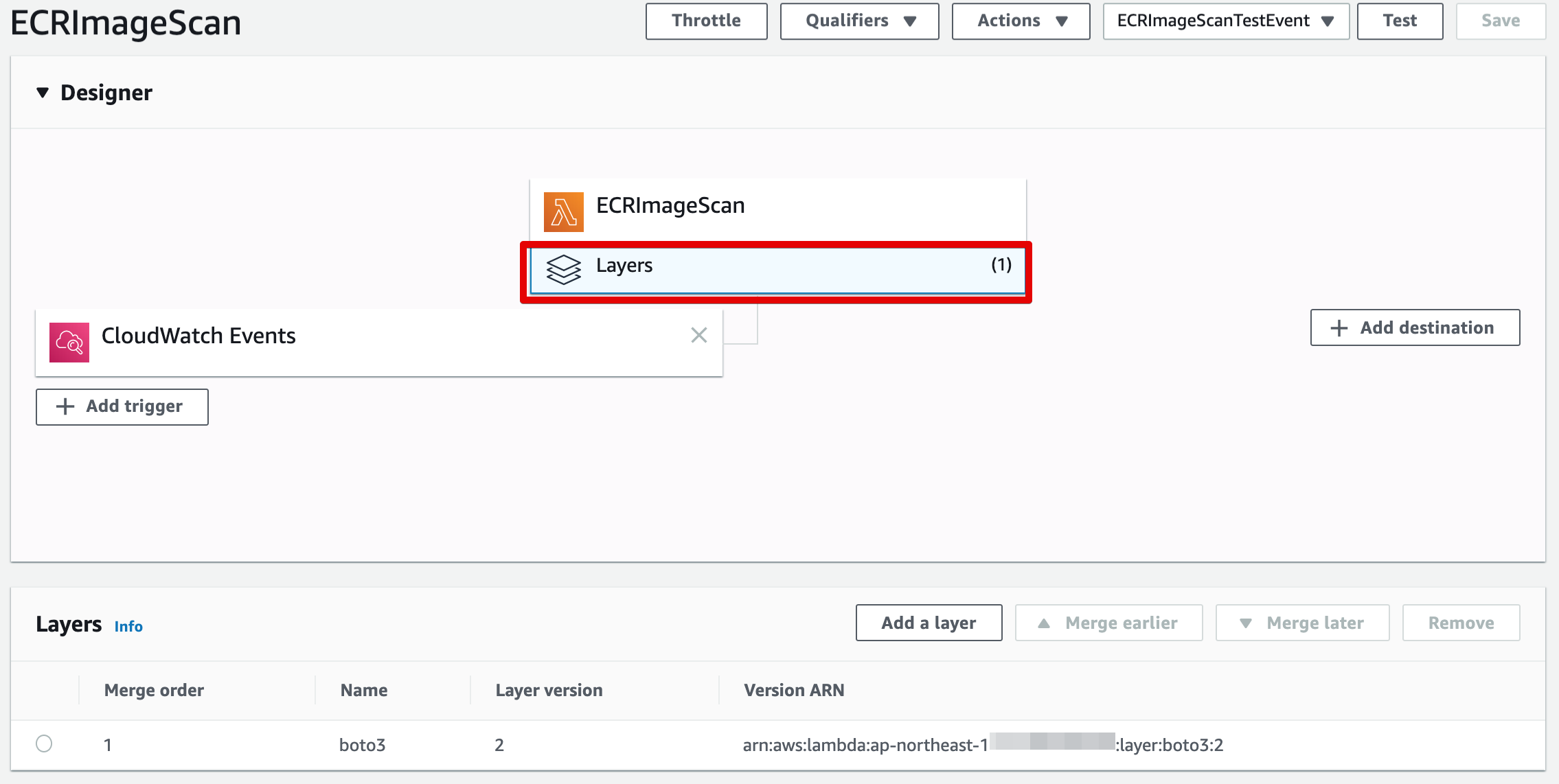
Lambda ファンクションに、先ほど作成した Layer を忘れずに設定する。
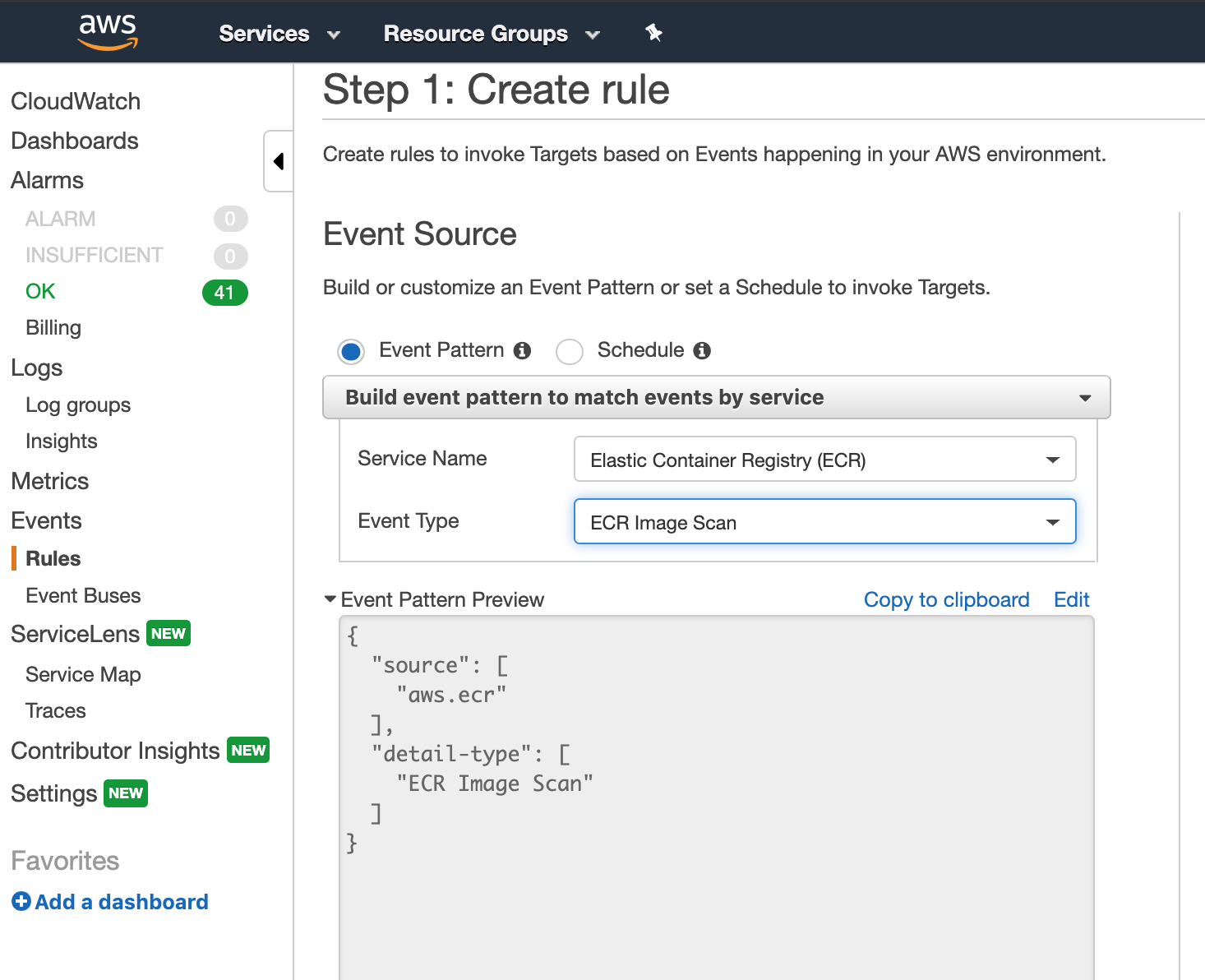
Lambda 関数のトリガーとなる、 CloudWatch Events の Rule を作成する。
サービス名に、 Elastic Container Registry(ECR) を選択。
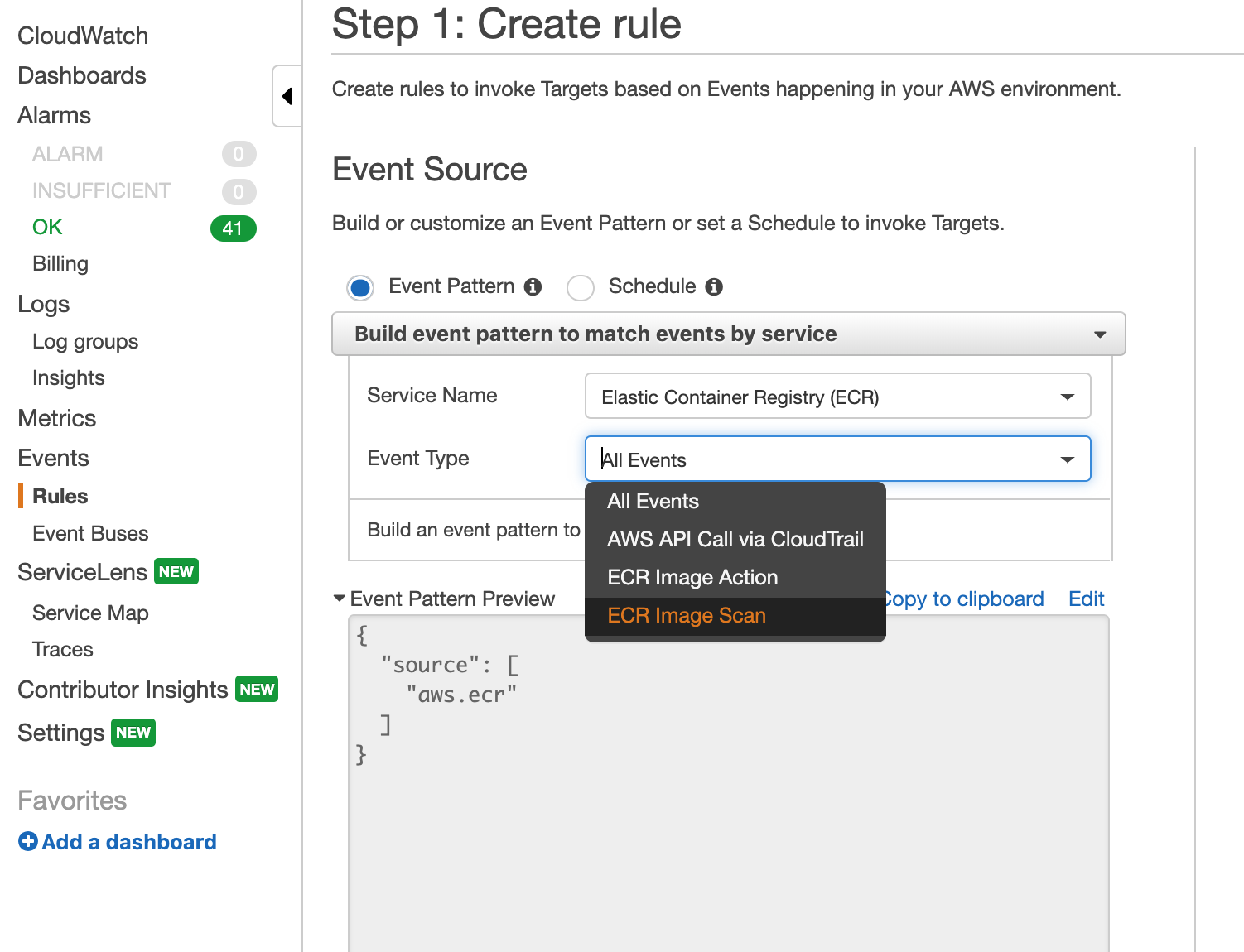
イベントタイプとして、 ECR Image Scan を設定。
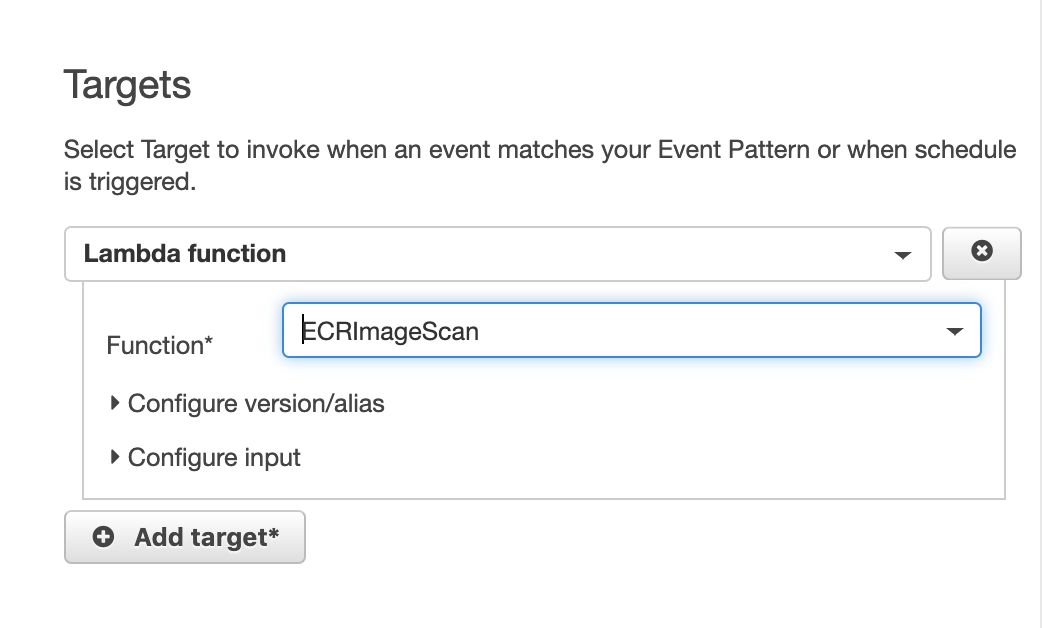
ターゲットとして、先ほど作成した Lambda ファンクションをセット。
試しに、脆弱性を含んだイメージをプッシュしてみると、
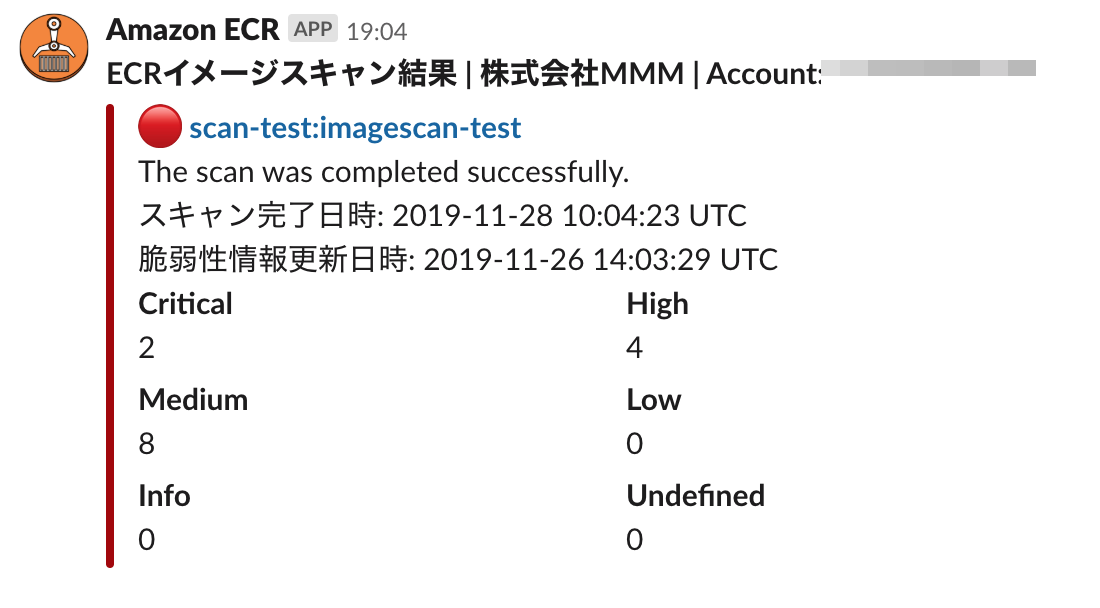
無事通知が行われた。
Slack の通知ではなくて、
CRITICAL が含まれていた場合は Backlog にて課題登録ということもやってみる。
【参考URL】
Lambda ファンクションは下記のようにした。
from datetime import datetime
from logging import getLogger, INFO
import os
from botocore.exceptions import ClientError
import boto3
import requests

logger = getLogger()
logger.setLevel(INFO)


def get_findings(detail):
    """Returns the image scan findings summary"""
    ecr = boto3.client('ecr')
    try:
        response = ecr.describe_images(
            repositoryName=detail['repository-name'],
            imageIds=[
                {'imageDigest': detail['image-digest']}
            ]
        )
    except ClientError as err:
        logger.error("Request failed: %s", err.response['Error']['Message'])
    else:
        return response['imageDetails'][0]


def create_backlog_issue(scan_result):
    """Create Backlog Issue"""
    company = os.environ['COMPANY']
    severity = 2
    region = 'ap-northeast-1'
    title = "ECRイメージスキャンにて脆弱性が検出されました"
    url = f"https://{os.environ['BACKLOG_SPACE_ID']}.backlog.com/api/v2/issues"
    repo = f"{scan_result['repositoryName']}:{scan_result['imageTags'][0]}"

    summary = scan_result['imageScanFindingsSummary']['findingSeverityCounts']
    complete_at = datetime.strftime(
        scan_result['imageScanFindingsSummary']['imageScanCompletedAt'],
        '%Y-%m-%d %H:%M:%S %Z'
    )
    source_update_at = datetime.strftime(
        scan_result['imageScanFindingsSummary']['vulnerabilitySourceUpdatedAt'],
        '%Y-%m-%d %H:%M:%S %Z'
    )
    result_url = f'''https://console.aws.amazon.com/ecr/repositories/{
                    scan_result['repositoryName']}/image/{
                    scan_result['imageDigest']}/scan-results?region={region}'''

    description = """
会社名: %s
イメージ: %s
スキャン完了日時: %s
脆弱性情報更新日時: %s
スキャン結果: %s

URL: %s
    """ % (company, repo, complete_at, source_update_at, summary, result_url)

    payload = {
        'projectId' : os.environ['BACKLOG_PROJECT_ID'],
        'issueTypeId' : os.environ['BACKLOG_ISSUE_TYPE_ID'],
        'priorityId' : severity,
        'summary' : title,
        'description' : description,
        'apiKey' : os.environ['BACKLOG_API_KEY']
    }
    response = requests.post(url, params=payload)
    return response.json()


def lambda_handler(event, context):
    """ECR Image Scan Findings to Backlog"""
    logger.info(event)
    response = 1
    scan_result = get_findings(event['detail'])

    # create backlog issue if 'CRITICAL' found
    counts = scan_result['imageScanFindingsSummary']['findingSeverityCounts']
    logger.info(counts)
    if 'CRITICAL' in counts:
        logger.info("CRITICAL found. Creating Backlog Issue.")
        response = create_backlog_issue(scan_result)

    return response
※ 環境変数に下記の変数設定をする必要があるので注意。
COMPANY
BACKLOG_SPACE_ID
BACKLOG_PROJECT_ID
BACKLOG_ISSUE_TYPE_ID
BACKLOG_API_KEY
※ また、このファンクションでは、 requests を使用しているので、 Lambda Layer に requests を含めてやる必要があるので注意。
$ mkdir python
$ pip install -t ./python boto3 requests
$ zip -r boto3-1.10.28.zip python脆弱性を含んだイメージをプッシュしてみると、 無事 Backlog 上に課題が登録された。
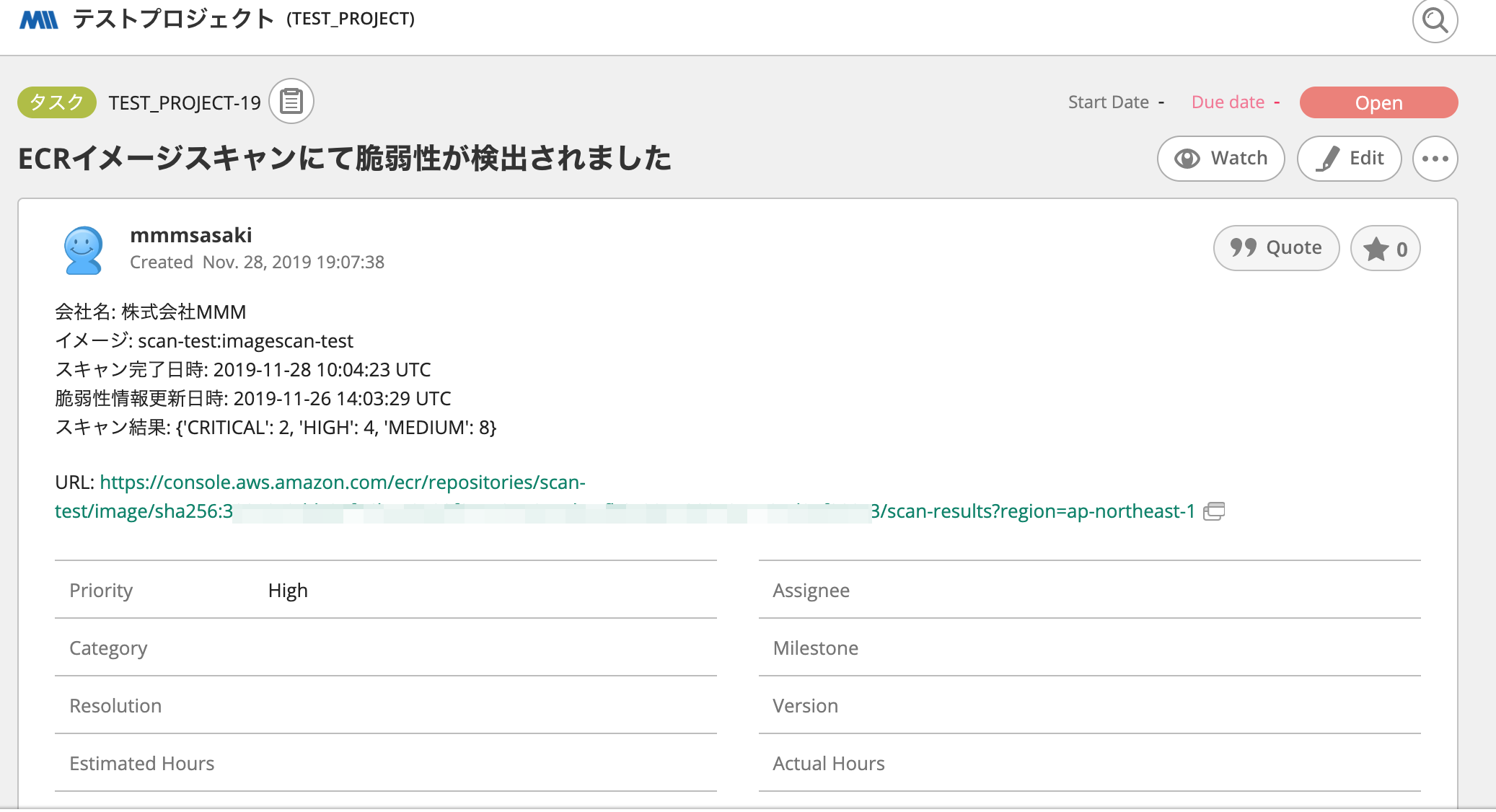
上記の処理を組み合わせて、開発時に ECR へプッシュするたびにスキャン実行、スキャン結果を Slack へ通知、もし脆弱性のレベルに CRITICAL が含まれていたら Backlog へ課題登録する、という流れができる。
リンク先の URL でスキャン結果の詳細が確認できるようになっているので、確認および対応をすることができる。